 Wardrobe
For iPhone and iPad
Know where every piece is.
Wardrobe remembers where your clothes live, from the bedroom wardrobe to the box in the attic, so you can find anything in seconds instead of searching every drawer.
Coming soon to the App StoreFree. No account, no ads, no tracking.
What it does
One job, done well.
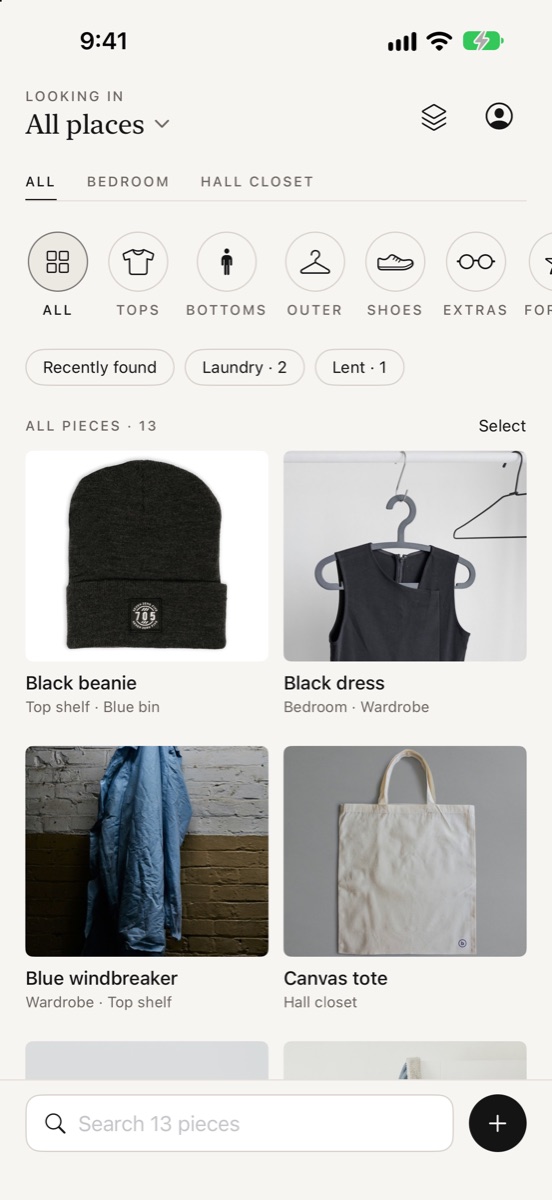
No outfits, no shopping, no social feed. Wardrobe tells you where your clothes are, and keeps that answer up to date with almost no effort.
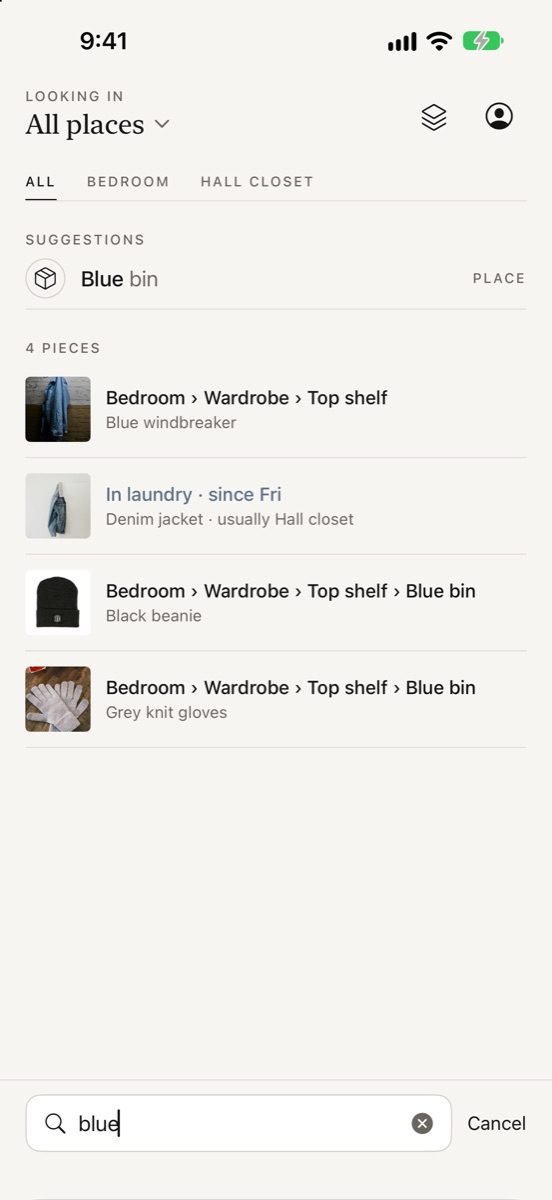
Find it fast
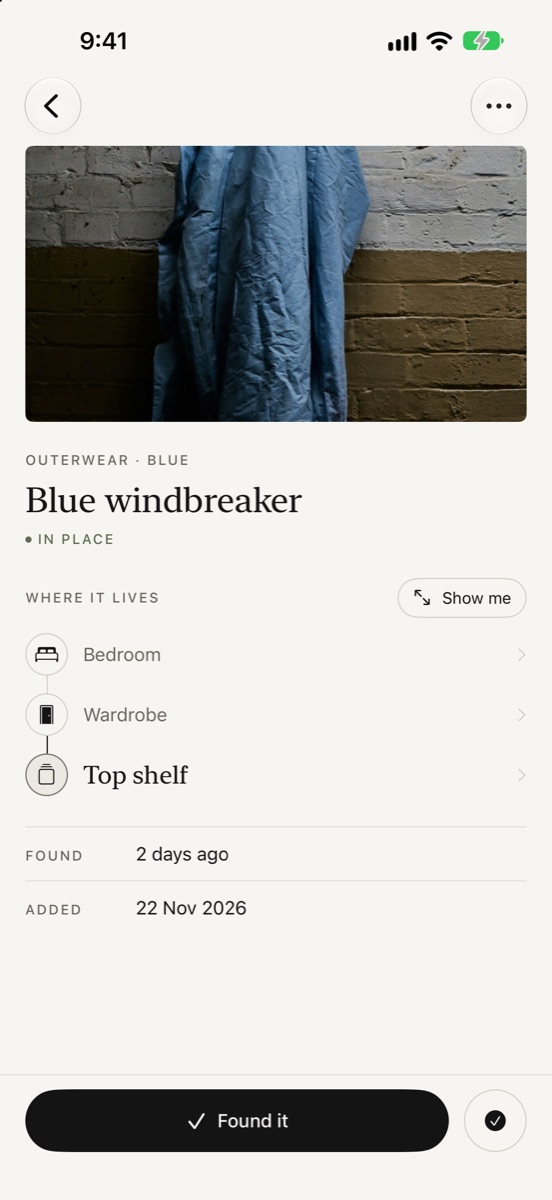
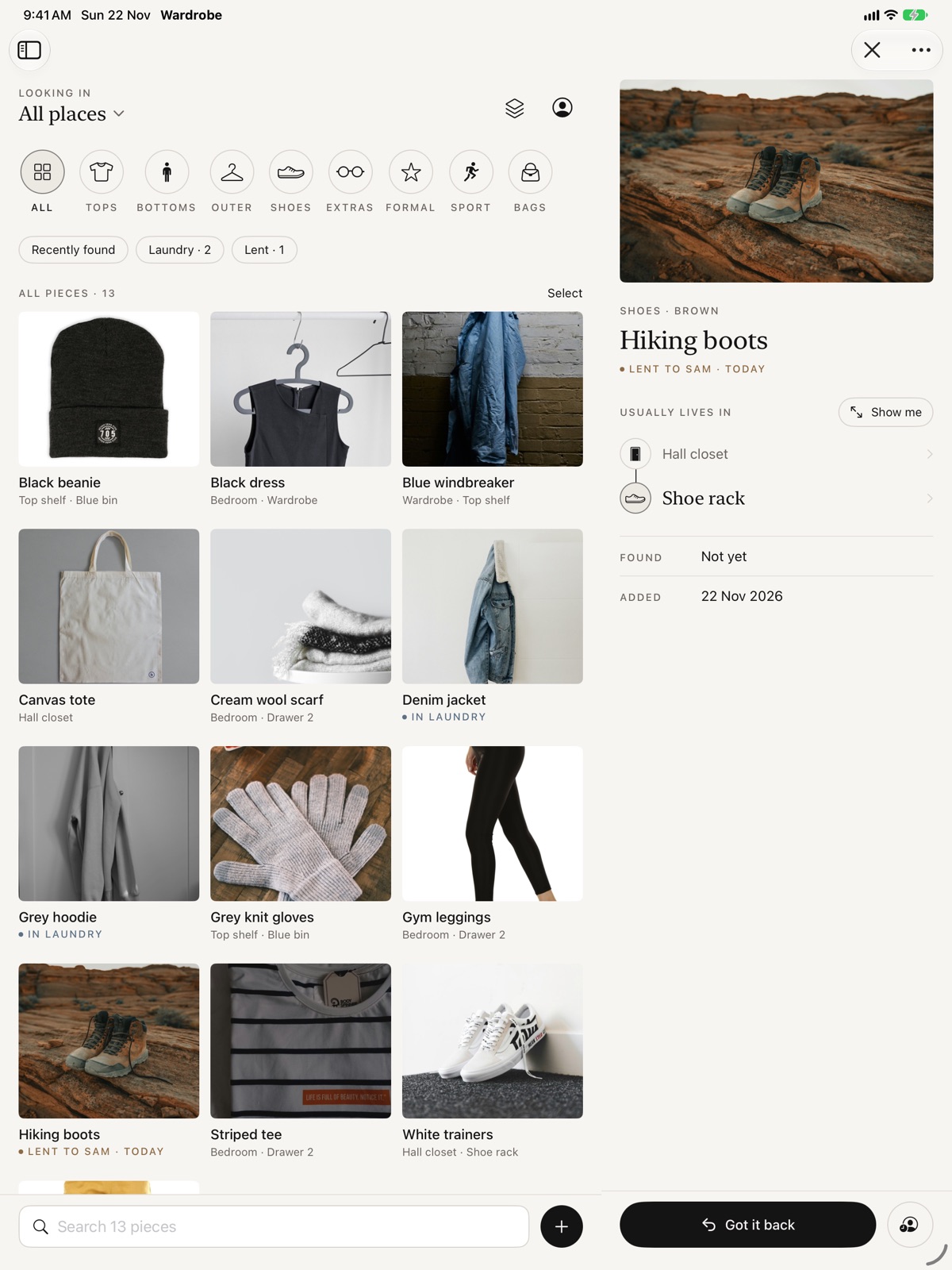
Search by name, colour, category or a nickname like "the comfy one". "Jumper" finds "sweater". See the exact route: Bedroom › Wardrobe › Top shelf.
Organise your way
Rooms, wardrobes, drawers, shelves and boxes, nested as deep as you like. Add pieces in seconds with a photo, and Wardrobe suggests a name and colour.
Know what's away
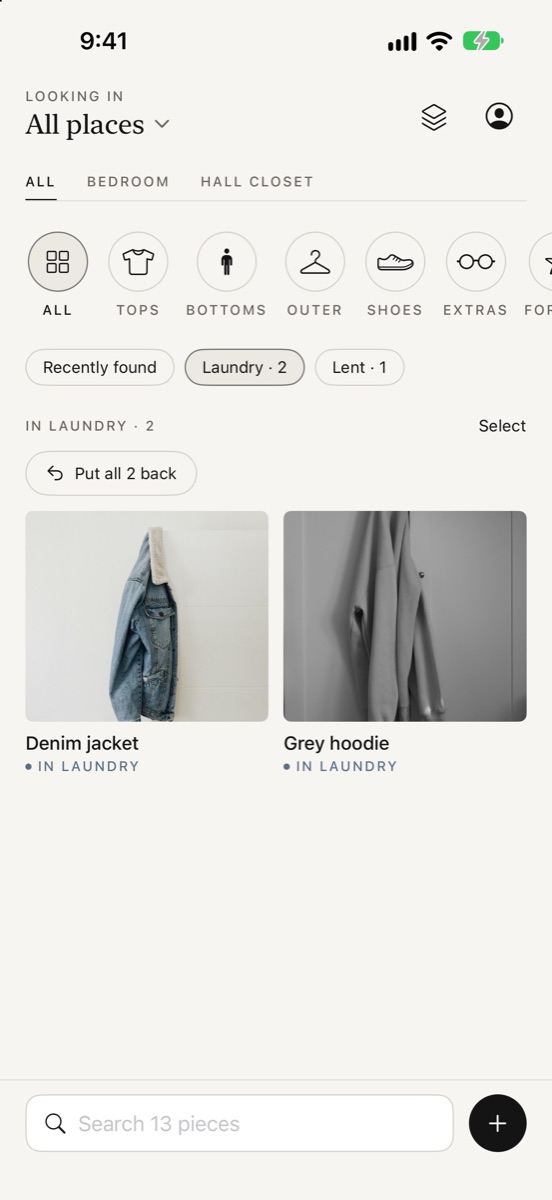
In the laundry, packed for a trip, lent to a friend or missing. "Put all back" when the washing is folded, or unpack just the trip you're back from.
Seasonal swap
Move winter coats to the attic, then send each one back to its own spot in a single tap when the weather turns.
Siri, Spotlight and widgets
Ask "Where's my rain jacket?", find pieces from Spotlight, and put things back straight from your Home Screen.
Shared homes
Mark whose a piece is and its size, and pick who borrowed something straight from Contacts.
A closer look
Designed to get out of the way.
Calm, quick and built for one hand at the wardrobe door.
Privacy
Your wardrobe is yours.
Wardrobe doesn't collect anything. There's nothing to sign up for and nothing sent to us.
On your device
Pieces, photos and places are saved on your iPhone or iPad.
In your iCloud
Sync between your devices uses your own private iCloud, which only you can see. You can turn it off in Settings.
Always exportable
Export a full backup or a spreadsheet of every piece, any time.